Join a live conversation
Step into any thread in progress from the row menu, without the agent handing it over first.
Platform / Agent workspace
The Palera agent workspace puts the queue, the thread, the history, the knowledge base and the dispositions in one interface, and the workspace looks the same whichever client the conversation belongs to. An agent handling five clients across four channels should not be handling five tools.
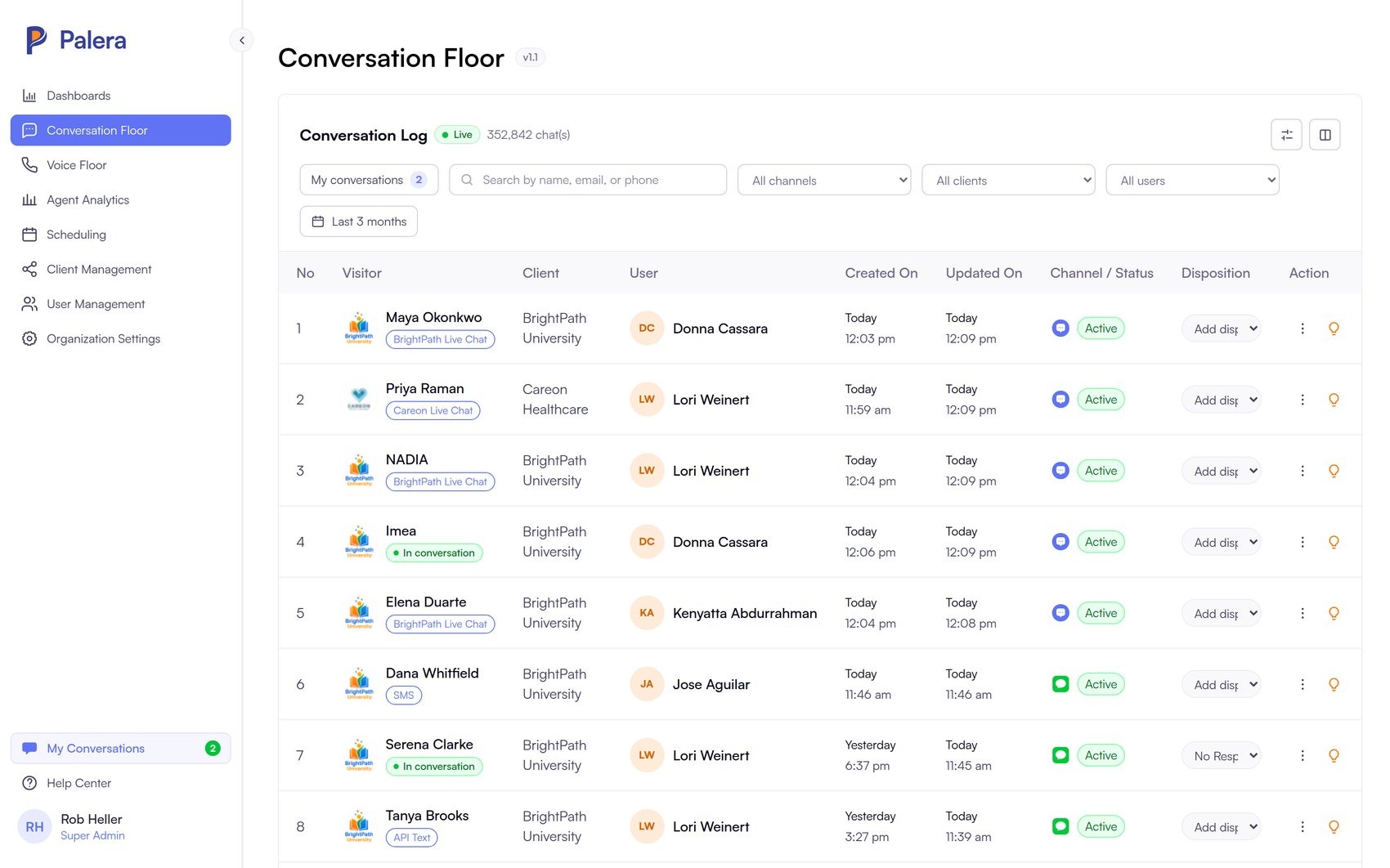
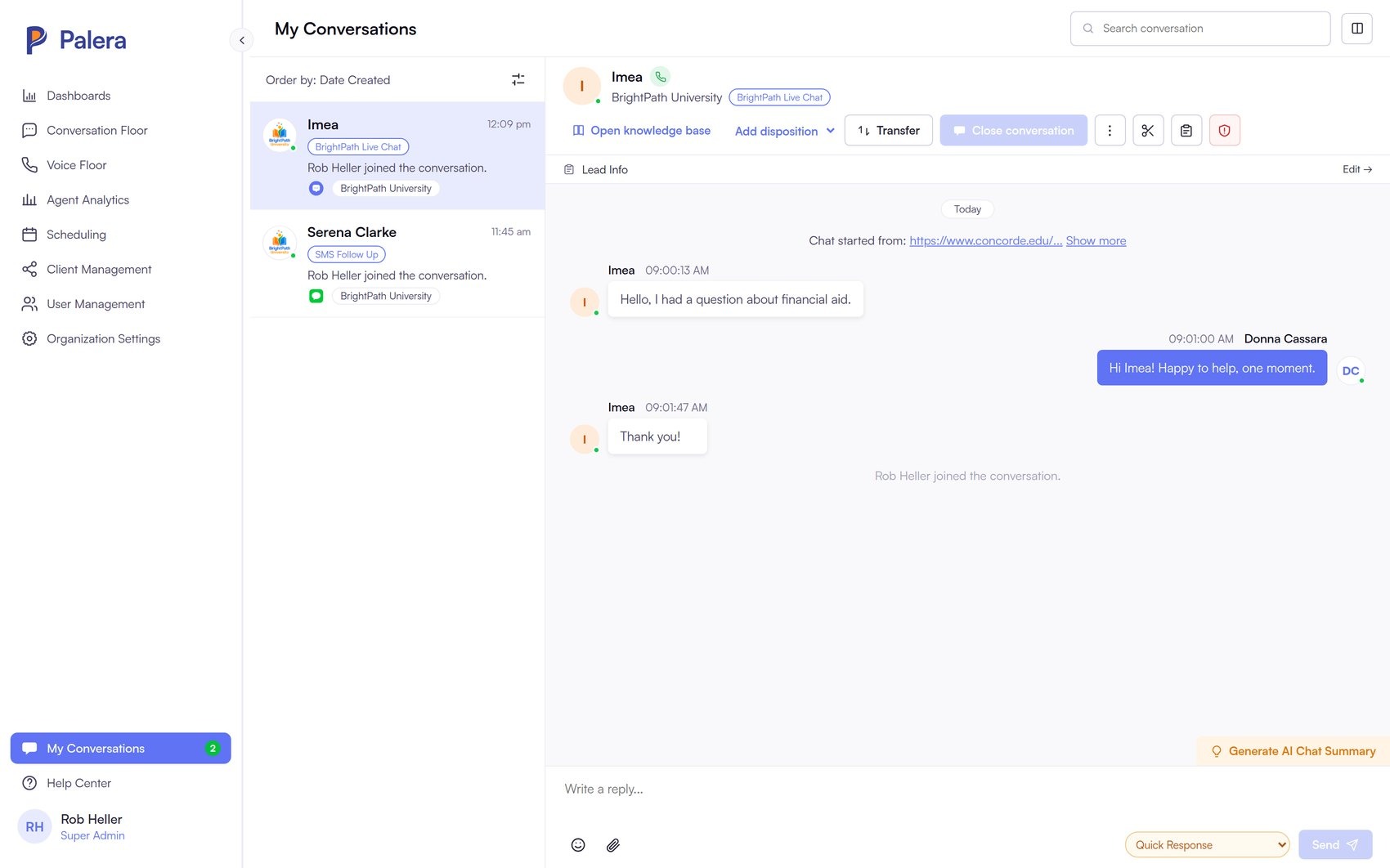
From Palera's conversation floor, a supervisor can join a live conversation, transfer it, disposition and close it, or open the client's knowledge base.
Step into any thread in progress from the row menu, without the agent handing it over first.
Return it to the original agent, or route it to a different one, with the whole history intact.
Apply the disposition, trigger the internal form if the campaign has one, and close it out.
Search the client's knowledge base without leaving the conversation.
My conversations
Anything a supervisor joins is listed in My Conversations and reachable from anywhere in the app, so stepping into a thread does not mean losing it when you navigate away. It is ordered by date or last activity, shows the client, the channel and who else is in the thread, and carries the full history rather than a summary of it.
Channels
In Palera, every channel in this list writes into the same conversation record, carries its own disposition where that is useful, and reports through the same dashboards. Adding a channel does not add a system.
Multi-client by design
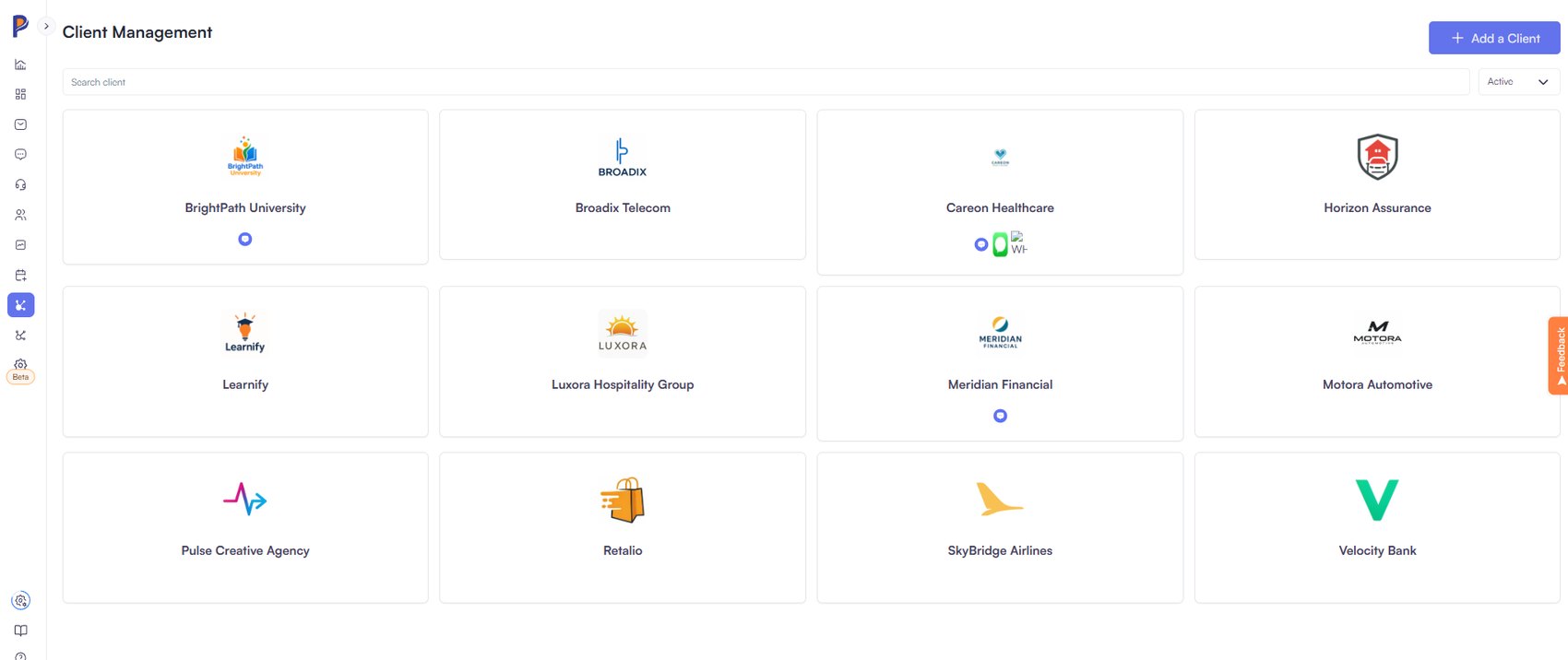
Palera was built for outsourcers, so a client is a first-class object: its own campaigns, channels, numbers, knowledge base, dispositions, forms, dashboards and user access, administered from one place rather than by running separate tenants.
Palera includes scheduling: weekly rotas, one-off shifts and time off, in the same platform your conversations run in. See who is on, who is out and where the gaps are, without exporting to a spreadsheet or paying for a separate system.
Scheduling covers rotas, shifts and absence. It is not a forecasting and optimization suite, and we will tell you plainly where the line is.
Audited, compliant and recognized.